latest articles

Jumat, 31 Mei 2013

35 Basic Tutorials to Get You Started with Photoshop

Adobe Photoshop is a very powerful and versatile image editing/graphics creation application that is the industry standard in its category. Though Photoshop’s interface is intuitive enough for an absolute beginner to learn basic image editing tasks such as cropping and resizing, to be able to fully master and utilize all of its tools takes a considerable amount of time.
If you’re interested in honing your Photoshop skills to create spectacular compositions, this is for you. In this article, you’ll find 35 basic Photoshop tutorials for getting started with Photoshop.
General tutorials

1. Getting Started with Photoshop

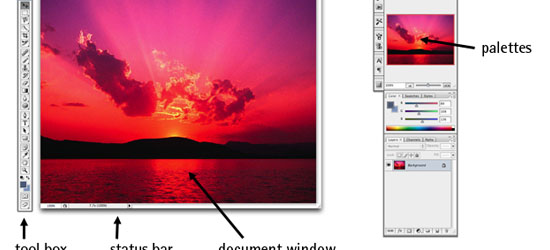
Getting Started with Photoshop

If you’ve never had any experience with Photoshop, this tutorial from SitePoint will get you up to speed with Photoshop’s basic features.
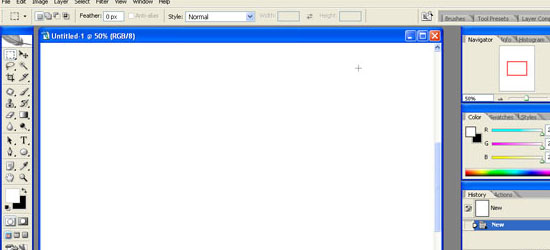
2. Adobe Photoshop Interface Tutorial

Adobe Photoshop Interface Tutorial - screen shot.
This tutorial outlines Photoshop CS2′s interface. Even if you use an earlier or later version of Photoshop, this tutorial is still helpful in familiarizing yourself with how Photoshop – in general – is laid out.
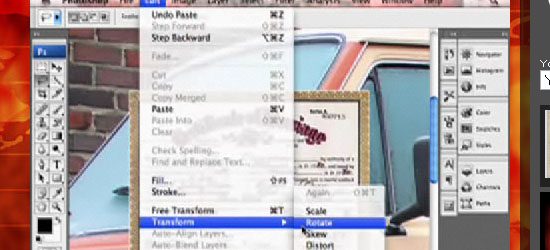
3. You Suck at Photoshop (series)

You Suck at Photoshop - screen shot.
This wildly popular and humorous screencast on Photoshop techniques by (probably) fictional character Donnie Hoyle is an excellent Photoshop series to follow if you like laughing and learning at the same time!
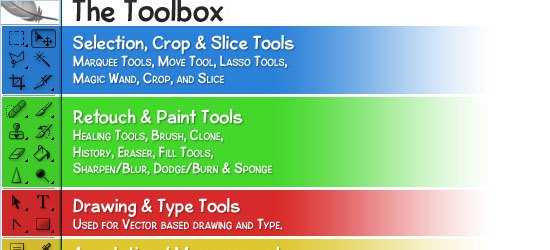
4. Photoshop’s Toolbox

Photoshop’s Toolbox - screen shot.
This tutorial goes over the anatomy of Photoshop’s Toolbox.
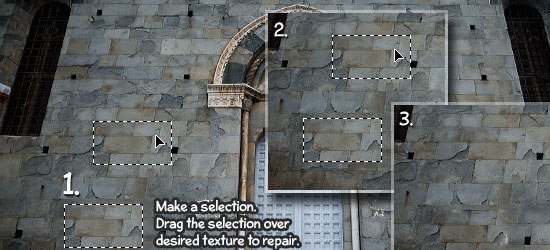
Photoshop tools and features

5. Retouch and Healing Tools

Retouch and Healing Tools - screen shot.
Photoshop has a host of tools and options for retouching and correcting images. This tutorial goes over the tools at your disposal and what situations each tool excels in.
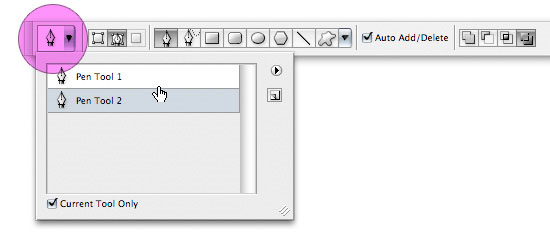
6. Photoshop’s Pen Tool: The Comprehensive Guide

Photoshop’s Pen Tool: The Comprehensive Guide - screen shot.
Photoshop’s Pen tool gives you the ability to draw objects in a vector-like fashion. This thorough tutorial even comes with a practice sheet that will help you master the concepts of working with the Pen tool.
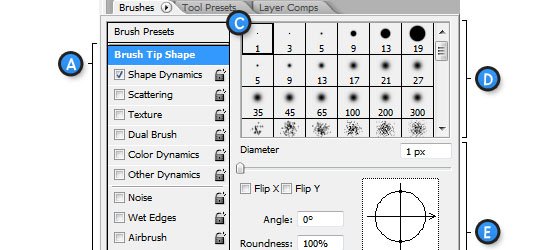
7. Photoshop’s Painting Tools

Photoshop’s Painting Tools - screen shot.
Photoshop’s Painting tools allow you to draw and fill in objects with colors and color gradients. This tutorial showcases Photoshop’s painting capabilities.

8. Photoshop Color Replacement Tool

Photoshop Color Replacement Tool - screen shot.
Sometimes you want to replace certain colors in an image. With the Color Replacement tool – you can specify which colors you’d like to change and Photoshop will automatically replace them for you. This tutorial goes through the color replacement process and discusses all the things you need to know about the Color Replacement tool.
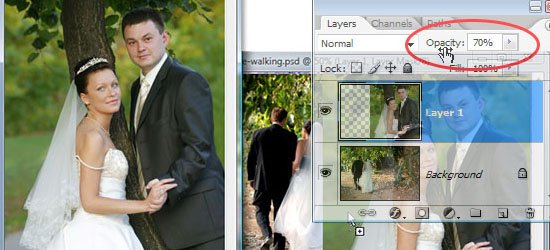
9. Understanding Layer Masks

Understanding Layer Masks - screen shot.
One of the fundamental skills to learn in Photoshop is the art of masking (isolating certain parts of a composition). This comprehensive tutorial goes over the Layer Masking features of Photoshop.
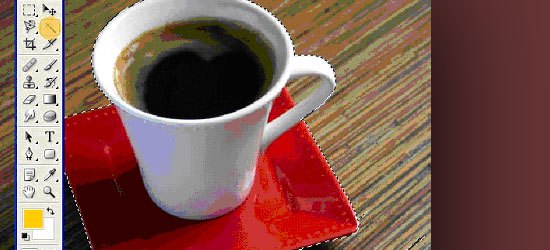
10. Photoshop’s Image Masking Tools

Photoshop’s Image Masking Tools - screen shot.
There are different methods of masking objects in your Photoshop composition. This tutorial goes over the basic masking tools available to you.

11. Layer Styles in Photoshop

Layer Styles in Photoshop - screen shot.
Layer Styles are the effects and options you apply to a particular layer. This tutorial discusses the concept of Layer Styles and how to utilize them in your Photoshop documents.
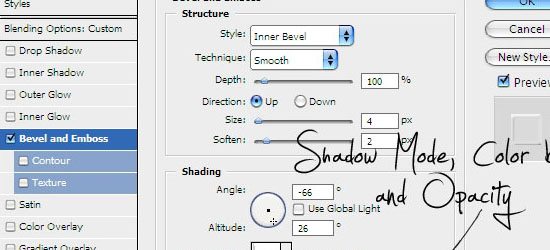
12. Understanding Bevel and Emboss

Understanding Bevel and Emboss - screen shot.
Bevel and Emboss is a particular Layer Style. There are many options you can tweak and change (such as the shading and the angle of light); this tutorial goes over what each option does.

13. Understanding Drop Shadows

Understanding Bevel and Emboss - screen shot.
Drop Shadow is another Photoshop Layer Style that applies a silhouette to the objects in a layer. In this tutorial, you’ll learn about the different options and settings of the Drop Shadow Layer Style.
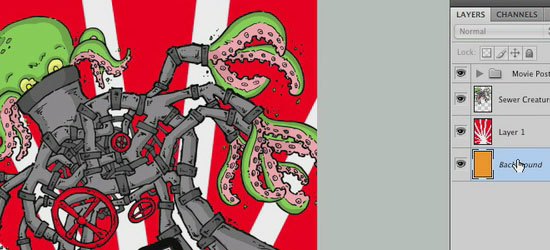
14. Introduction to Blending Modes

Introduction to Blending Modes - screen shot.
In this video tutorial, you’ll learn about the different Blending Modes available at your disposal.

15. Photoshop’s Filters

Photoshop’s Filters - screen shot.
Photoshop filters are simply effects applied to your image (much like the concept of using photographic lens filters). For example, the Blur filter unsharpens the focus of your images. This tutorial goes over the Filters interface in Photoshop.
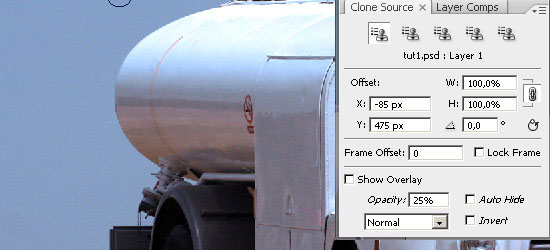
16. Useful Applications for the Clone Stamp Tool

Useful Applications for the Clone Stamp Tool - screen shot.
This tutorial goes over some excellent uses of the Clone Stamp tool in Photoshop.
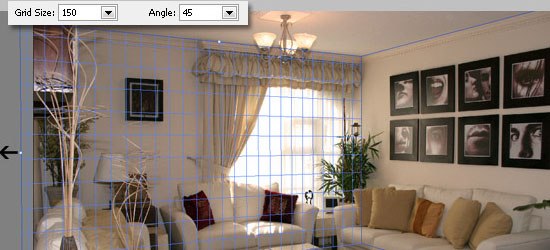
17. Getting to Grips with the Vanishing Point Filter

Getting to Grips with the Vanishing Point Filter - screen shot.
Master the Vanishing Point filter (a Photoshop filter that adjusts the image’s perspective) with this excellent Photoshop tutorial.
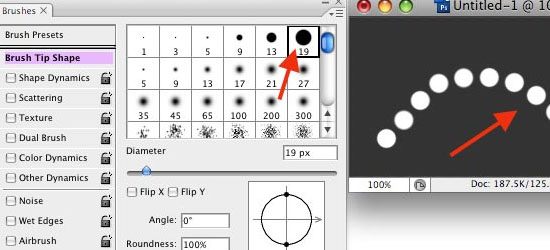
18. The Hidden Power of Photoshop Brush Tool

The Hidden Power of Photoshop Brush Tool - screen shot.
The Brush tool is a versatile drawing feature of Photoshop the mimics different art brushes and styles like water coloring, oil painting, or charcoal painting. This tutorial covers some of the best features of the Brush Tool in Photoshop.

19. "Background Eraser Tool" is the new Magic Wand

"Background Eraser Tool" is the new Magic Wand - screen shot.
This tutorial goes over the usage of the Background Eraser tool in Photoshop.
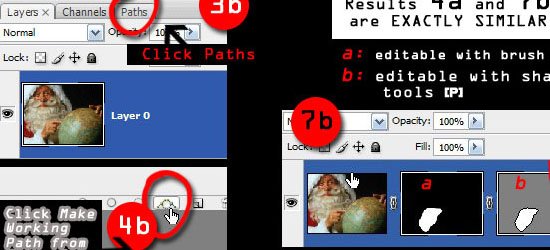
Common tasks and techniques

20. A Comprehensive Introduction to Photoshop Selection Techniques

A Comprehensive Introduction to Photoshop Selection Techniques - screen shot.
In order to become a Photoshop master, you’ll need to understand how to select different sections and objects in your composition. This guide goes over some techniques you can use to selectively isolate certain objects or groups of objects.
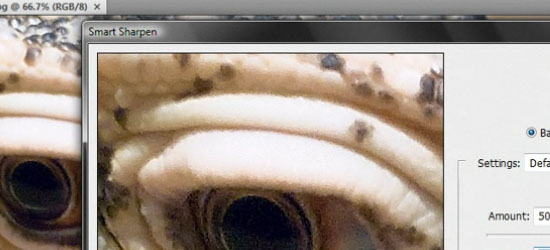
21. Sharpening the Details

Sharpening the Details - screen shot.
You’ll often need to sharpen photos for image correction. In this video tutorial, you’ll learn about various sharpening techniques.

22. Saving Images for the Web

Saving Images for the Web - screen shot.
One of the most powerful features of Photoshop is its ability to save compositions in a variety of web formats. This tutorial explains the different options and settings of saving images for the web.

23. Create Your Own Custom Shapes in Photoshop
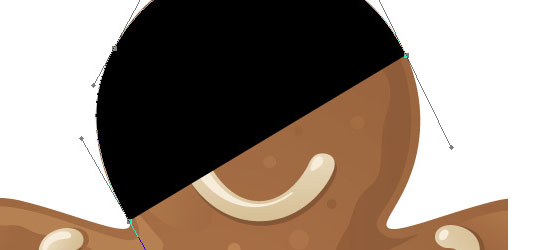
Create Your Own Custom Shapes in Photoshop - screen shot.
Custom Shapes are reusable objects in Photoshop. It gets stored in a library and you can access them later on from another Photoshop document. In this tutorial, you’ll learn how to create, import, and save your own custom shapes.
24. Photoshop Smart Objects, smart but not always that smart

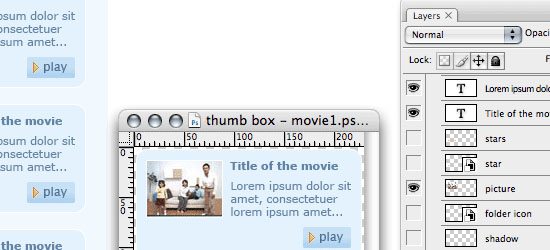
Photoshop Smart Objects, smart but not always that smart - screen shot.
Smart Objects are instantiated objects – that is, you can create multiple instances of a source object and make a change to an instance of that object while still keeping the original object intact. This tutorial goes over how to use Smart Objects.

Enhancing your workflow and efficiency

25. Using Pen Tablets in Photoshop

Using Pen Tablets in Photoshop - screen shot.
You can use a Pen tablet (an input device that lets you draw images directly into an image editor) over a mouse to create more accurate drawings by hand. This tutorial shows you the basic concepts behind utilizing a Pen Tablet to supplement your workflow. 
26. Automating Photoshop with Actions

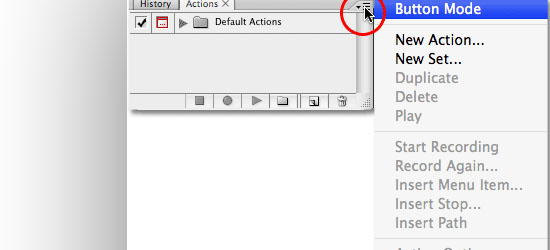
Automating Photoshop with Actions - screen shot.
An Action is a sequence of Photoshop tasks that you can repeat and reuse. For example, if you find yourself constantly resizing images to 550 pixels in width and then saving them in  PNG file format, you can record a Photoshop Action that will apply these settings automatically. This excellent tutorial covers the basics of creating and using Photoshop Actions.
27. Using Palettes in Photoshop

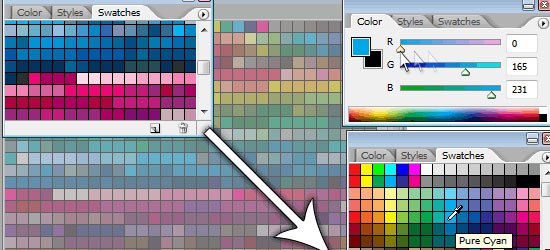
Using Palettes in Photoshop - screen shot.
Palettes are sets of tools and options that help you organize Photoshop’s interface. In this tutorial, you’ll get a great primer on how to take advantage of using Palettes.
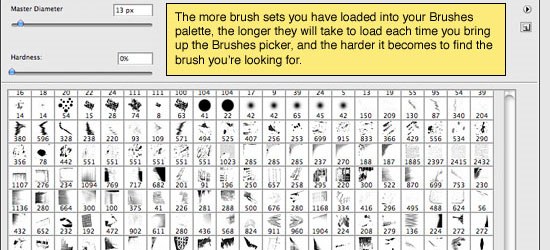
28. Installing and Managing Brushes & Other Presets

Installing and Managing Brushes & Other Presets - screen shot.
You can install pre-made brushes (instead of creating your own) in Photoshop as well as save important settings for future use. This tutorial will show you how to work with brushes and other Photoshop presets.
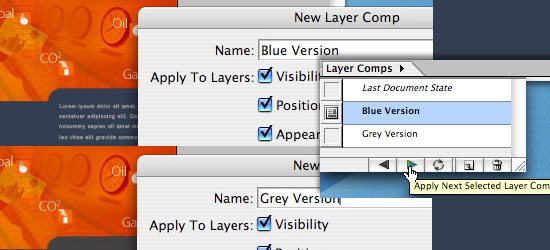
29. Layer Comps in Photoshop CS

Layer Comps in Photoshop CS - screen shot.
A Layer Comp is a version of your composition that you can switch back and forth to. Learn a little about an actual use of Layer Comps.

30. Photoshop Secret Shortcuts

Photoshop Secret Shortcuts - screen shot.
Shortcuts enable greatly increases your efficiency. In this excellent tutorial, you’ll learn about some of the lesser-known but tremendously useful Photoshop shortcuts.
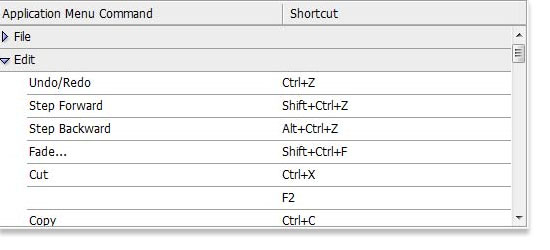
31. Manage your shortcuts in Photoshop

Manage your shortcuts in Photoshop - screen shot.
If you don’t like the preset keyboard shortcuts the Photoshop comes with out of the box, this tutorial will show you how to change and manage your Photoshop shortcuts.
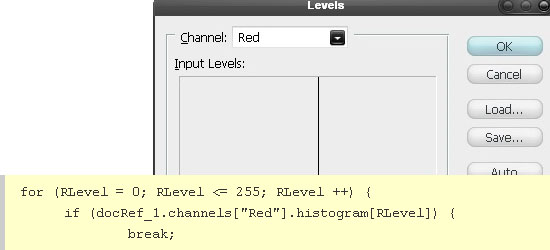
Learning by doing

32. Manipulate an Image with Scripting

Manipulate an Image with Scripting - screen shot.
Scripting allows you to automate and extend Photoshop’s features by authoring your own code. Learn about Photoshop Scripting with this tutorial that uses image manipulation as a working example.
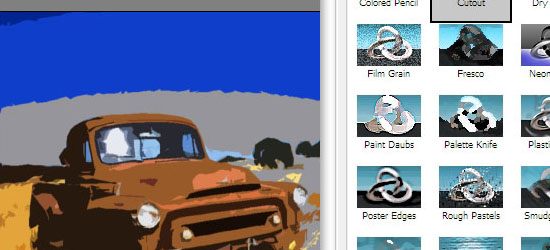
33. Use Photoshop’s Filters to Make Simple Illustrations

Use Photoshop's Filters to Make Simple Illustrations - screen shot.
Learn to use Photoshop Filters to transform a photo into an illustration.

34. Custom made Seamless Texture Tutorial

Custom made Seamless Texture Tutorial - screen shot.
Learn to create seamless textures in Photoshop.

35. Simple organic shapes in Photoshop

Simple organic shapes in Photoshop - screen shot.
This tutorial goes over a technique for creating simple organic shapes using several Photoshop tools and techniques such as the Shape Tool and Gradient Masks. 

Source: http://sixrevisions.com/graphics-design/35-basic-tutorials-to-get-you-started-with-photoshop/
Read more

Senin, 27 Mei 2013

Transfer, Sharing / Berbagi File Via Wifi


Ketika anda harus berbagi file dengan teman, kerabat, atau siapa saja, sementara anda tidak membawa USB flashdisk atau hardisk eksternal, dan juga tidak memungkinkan untuk mengirim file tersebut lewat email karena ukuran file yang telalu besar misalnya, solusi berikut ini mungkin berguna.

Apabila di area tempat anda berada terdapat hotspot /wifi dan masing-masing komputer/ laptop anda dan laptop teman anda dapat terhubung ke hotspot tersebut maka pertukaran file dapat dilakukan melalui hotspot ini.


Sebenarnya banyak cara untuk bisa berbagi file antar komputer / laptop ketika flashdisk /external disk tidak tersedia.   Bisa melalui Bluetooth , koneksi wireless ad hoc, kabel LAN langsung, dll.


Kelebihan dari koneksi dan berbagi file lewat wifi adalah kita tidak perlu setting-setting untuk koneksinya seperti setting IP, pairing dll. Yang dilakukan hanyalah setting untuk folder sharingnya saja.

Kita asumsikan kedua laptop (dengan OS Windows 7) sudah terhubung ke hotspot (hotspot yang sama tentunya)
Misalnya laptop A dan Laptop B. Laptop A yang akan berbagi file, laptop B yang akan mengambil file


• Langkah pertama, tentukan folder yang akan disharing/dibagi (Laptop A)
Misalnya disini saya akan menshare folder dengan nama folder "doc"
Klik kanan pada folder yang akan disharing (folder Doc) tersebut, kemudian pilih Properties

Pada Tab Sharing, klik Advanced Sharing

Beri Centang (ceklist) pada Share this folder, kemudian klik Apply / klik OK
Langkah selanjutnya, non aktifkan/matikan Windows Firewall, (masuk ke Control Panel, pilih Windows firewall, off kan Windows firewall )
• Kemudian, supaya dari laptop B dapat mengambil file dari laptop A maka harus diketahui IP address  Laptop A .
Buka Command Prompt , dari menu Run ( Logo Windows +R) ketikkan CMD, klik OK


Setelah muncul jendela Command Prompt, ketikkan ipconfig kemudian tekan Enter


Pada contoh saya dapatkan Ip addressnya 192.168.1.100


• Langkah terakhir, yaitu mengakses file/folder  dari laptop B

Dari laptop B masuk ke menu RUN (tekan Logo windows + R)
Kemudian ketikkan tanda backslash 2x (\\) disambung dengan IP Laptop A tadi
\\192.168.1.100
klik OK


Maka akan muncul Folder yang disharing di Laptop A tadi


Buka Folder tersebut dan kita sudah bisa melakukan copy paste dari Folder yang disharing di Laptop A ke drive di laptop B.


Semoga bermanfaat.

Source: http://komputertipstrik.blogspot.com/2012/05/transfer-sharing-berbagi-file-via-wifi.html
Read more

ICT in role play


You can incorporate the use of ICT equipment in children's imaginative play. Jane Drake shows you how

You can incorporate the use of ICT equipment in children's imaginative play. Jane Drake shows you how
Children will already be familiar with many uses of information and communications technology before they enter the nursery setting and may even be adept operators of some electronic equipment. The Foundation Stage curriculum for this area of learning places emphasis on children continuing to find out about the purposes of ICT in the 'real world', making role play a particularly effective vehicle for learning.
Computers have an important role to play in children's developing understanding of ICT, and can also play a significant part in supporting learning in other areas. But they are certainly not the only, and not always the most appropriate, way of introducing young children to ICT in the setting.
Alongside the computer should be a wide range of the information technology that we encounter in our everyday lives, and opportunities for exploring this. ICT should not be viewed as a discrete area of learning addressed only through computer programmes; it should be an integral part of early years provision.

A walk around their local area can help to raise children's awareness of information technology in the world around them, and inspire adults with ideas for role play. Burglar alarms on houses, pelican crossings, telephone boxes, barcode scanners, cash machines - examples are plentiful.
Nurseries can provide their own real examples of information technology, such as tape recorders, and representations of others, which children can explore in role play before trying the 'real thing' - for example, programmes on washing machines. Disused equipment, such as answering machines and keyboards, once it is checked for safety, can also help children to explore the uses of ICT.
If possible, lend the children and their families digital cameras with which to record examples of ICT in their homes and neighbourhood. Photographs can then be used by practitioners and children when planning new role play provision.
To operate simple equipment, children need to be familiar with key words, symbols and signs. These too can be taught and reinforced through role play. For example, children may learn to recognise the word 'wait' and the significance of the red and green figures on a pedestrian crossing set up in the outdoor area.
Learning can also take place in a less direct way. The arrows used on the controls of many programmable toys and floor robots could be introduced on a large scale during a 'bear hunt' to guide children to their destination. Through such an activity children learn to 'read' the arrows and to use directional language, such as forwards and backwards.
Learning opportunities
With appropriate resources and adult support, children can:
  • develop an interest in ICT equipment and apparatus
  • identify and explore everyday uses of information technology in a meaningful context
  • talk about uses for ICT in their own lives and represent experiences through role-play
  • understand how to operate simple equipment and perform simple functions independently
  • turn to appropriate equipment in their play in order to communicate information
  • be aware of the dangers associated with some equipment, such as electrical switches, and of the need to work within simple safety guidelines
  • use correct technical vocabulary.
Resources and activities
Listed below are some examples of how children can learn about ICT through role play. Some resources, such as telephones, can be included in most role play areas, while others are related to specific themes.
Home corner Telephones, disused cameras, radios, televisions and video machines with remote controls, tape recorder and music/story tapes, laptop computers, washing machines with programme dials, microwave ovens, or a burglar alarm box, can all be part of the basic provision. Also consider using plug-in baby monitors and encourage children to listen for their 'babies' from another area.
Airport Provide walkie-talkies, 'conveyor belts' (for luggage and passengers), 'metal detectors' and a 'security system'.
Office This area offers many opportunities for children to explore ICT through changing themes. For example, estate agents could record details of a house on a Dictaphone, type the details into the computer and call interested clients.
Basic ICT provision could include keyboards, calculators, telephones and 'hands free' mobile phones, fax machine and a model photocopier. In some settings, the office is also a permanent base for the computer and offers a real context for e-mailing.
Bank Construct a hole-in-the-wall cash machine and issue children with cash cards and PIN numbers. Provide computer monitors and keyboards on counters. Library Barcode each book and provide 'pen' scanners. Include monitors and keyboards and encourage children to search for book titles.
Supermarket Provide barcode scanners and a conveyor belt, a cash register and swipe cards. Record a 'today's special offers' message and encourage children to play this on a tape recorder in the area. A lottery ticket machine could also be included.
Outdoor area Provide equipment such as traffic lights, pedestrian crossings, speed cameras, motorway weather warning signs, car park ticket machines and barriers, carwashes, petrol pumps, emergency breakdown telephones, sensor-operated streetlights, 'drive through' fast food outlets with intercom systems for ordering.
Organisation
  • Much of the suggested equipment can be made, recycled or bought quite cheaply. Several local settings could share the cost of more expensive items that will be used on a rotational basis. Make sure that staff in all settings are aware of what is available.

  • Ask parents to donate old equipment such as keyboards and telephones.

  • Keep a stock of batteries in the setting and a re-charger where appropriate. Flat batteries are very frustrating!
Adult role
The role of the adult in supporting children's ICT development through role play will be diverse. Always observe and respond to children's interests. A child with a parent away on a business might want to contact them on a mobile phone during their play. Or a child whose family has just bought a laptop computer may want to make a laptop in the technology workshop and 'use' it in the office area.
To support children effectively, practitioners should:
  • raise children's awareness of technology in the world around them
  • provide an environment in the setting that reflects the uses of ICT in the real world
  • model a range of uses of ICT in an everyday context
  • provide appropriate equipment to support children's interests
  • introduce and model appropriate language and encourage children to use vocabulary such as 'on', 'off', 'eject' when using equipment.
Read more

Supporting every child with ICT

Use ICT to record every child’s personal learning journey.

  • Record a learning journey using photographs. Share these with the children’s families by putting them into books or on a display board.
  • Check the photographs that you take of children’s play and learning; do the pictures tell a story?
  • Talk with parents and carers and observe children to gain an understanding of children’s experiences with ICT so that you can build on what they know and can do. See: Technologically rich environmentsObserving children at play with ICT and Teaching points.
  • Support each child at their own level of development. See: Child development.
  • All areas of learning are connected and equally important. Plan for and observe children using technology across all areas of learning.
  • Use mp3 technology to listen to children and support them in communicating. Share recordings in small groups or by downloading and using in story making software or PowerPoint.
  • Use a computer/laptop/IWB/plasma screen/digital photo frame to display slideshows of photographs of children at play. These are a great talking point for parents and carers as well as for the children themselves.
  • Use digital video to observe learning and share with small groups of children through a digital display (computer, IWB, digital photo frame). Children will notice experiences like jumping in puddles, or seeing shadows, in different ways when they reflect back on the experiences. Sharing video provides opportunities for extending children’s learning.

Source:http://ictearlyyears.e2bn.org/planning3_36.html
Read more

Sabtu, 25 Mei 2013

Badminton

Badminton is a racquet sport played by either two opposing players (singles) or two opposing pairs (doubles), who take positions on opposite halves of a rectangular court divided by a net. Players score points by striking a shuttlecock with their racquet so that it passes over the net and lands in their opponents' half of the court. Each side may only strike the shuttlecock once before it passes over the net. A rally ends once the shuttlecock has struck the floor, or if a fault has been called by either the umpire or service judge or, in their absence, the offending player, at any time during the rally.
The shuttlecock (or shuttle) is a feathered (or, mainly in uncompetitive games, plastic) projectile whose unique aerodynamic properties cause it to fly differently than the balls used in most racquet sports; in particular, the feathers create much higher drag, causing the shuttlecock to decelerate more rapidly than a ball. Shuttlecocks have a much higher top speed, when compared to other racquet sports. Because shuttlecock flight is affected by wind, competitive badminton is played indoors. Badminton is also played outdoors as a casual recreational activity, often as a garden or beach game.
Since 1992, badminton has been an Olympic sport with five events: men's and women's singles, men's and women's doubles, and mixed doubles, in which each pair consists of a man and a woman. At high levels of play, especially in singles, the sport demands excellent fitness: players require aerobic stamina, agility, explosive strength, speed and precision. It is also a technical sport, requiring good motor coordination and the development of sophisticated racquet movements.

History and development

Battledore and Shuttlecock. 1854, from the  
 
John Leech Archive
The beginnings of badminton can be traced to mid-18th century British India, where it was created by British military officers stationed there.[2] Early photographs show Englishmen adding a net to the traditional English game of battledore and shuttlecock. The sport is related to ball badminton, which originated in Tamil Nadu, and is similar to Hanetsuki which originated in Japan. Being particularly popular in the British garrison town Poona (now Pune), the game also came to be known as Poona.[2][3] Initially, balls of wool referred as ball badminton were preferred by the upper classes in windy or wet conditions, but ultimately the shuttlecock stuck. This game was taken by retired officers back to England where it developed and rules were set out.
Although it appears clear that Badminton House, Gloucestershire, owned by the Duke of Beaufort, has given its name to the sports, it is unclear when and why the name was adopted. As early as 1860, Isaac Spratt, a London toy dealer, published a booklet, Badminton Battledore – a new game, but unfortunately no copy has survived.[4] An 1863 article in The Cornhill Magazine describes badminton as "battledore and shuttlecock played with sides, across a string suspended some five feet from the ground".[5] This early use has cast doubt on the origin through expatriates in India, though it is known that it was popular there in the 1870s and that the first rules were drawn up in Poonah in 1873.[4][5] Another source cites that it was in 1877 at Karachi in (British) India, where the first attempt was made to form a set of rules.[6]
As early as 1875, veterans returning from India started a club in Folkestone. Until 1887, the sport was played in England under the rules that prevailed in British India. The Bath Badminton Club standardized the rules and made the game applicable to English ideas. J.H.E. Hart drew up revised basic regulations in 1887 and, with Bagnel Wild, again in 1890.[4] In 1893, the Badminton Association of England published the first set of rules according to these regulations, similar to today's rules, and officially launched badminton in a house called "Dunbar" at 6 Waverley Grove, Portsmouth, England on September 13 of that year.[7] They also started the All England Open Badminton Championships, the first badminton competition in the world, in 1899.
The International Badminton Federation (IBF) (now known as Badminton World Federation) was established in 1934 with Canada, Denmark, England, France, the Netherlands, Ireland, New Zealand, Scotland, and Wales as its founding members. India joined as an affiliate in 1936. The BWF now governs international badminton and develops the sport globally.
While initiated in England, competitive men's badminton in Europe has traditionally been dominated by Denmark. Asian nations, however, have been the most dominant ones worldwide. Indonesia, South Korea, China, and Malaysia along with Denmark are among the nations that have consistently produced world-class players in the past few decades, with China being the greatest force in both men's and women's competition in recent years.

Rules

The following information is a simplified summary of badminton rules based on the BWF Statutes publication, Laws of Badminton.[8]

Playing court dimensions

Badminton court, isometric view
The court is rectangular and divided into halves by a net. Courts are usually marked for both singles and doubles play, although badminton rules permit a court to be marked for singles only.[8] The doubles court is wider than the singles court, but both are of same length. The exception, which often causes confusion to newer players, is that the doubles court has a shorter serve-length dimension.
The full width of the court is 6.1 metres (20 ft), and in singles this width is reduced to 5.18 metres (17 ft). The full length of the court is 13.4 metres (44 ft). The service courts are marked by a centre line dividing the width of the court, by a short service line at a distance of 1.98 metres (6 ft 6 inch) from the net, and by the outer side and back boundaries. In doubles, the service court is also marked by a long service line, which is 0.76 metres (2 ft 6 inch) from the back boundary.
The net is 1.55 metres (5 ft 1 inch) high at the edges and 1.524 metres (5 ft) high in the centre. The net posts are placed over the doubles sidelines, even when singles is played.
The minimum height for the ceiling above the court is not mentioned in the Laws of Badminton. Nonetheless, a badminton court will not be suitable if the ceiling is likely to be hit on a high serve.

Equipment rules

Badminton rules restrict the design and size of racquets and shuttlecocks. Badminton rules also provide for testing a shuttlecock for the correct speed:
3.1 
To test a shuttlecock, use a full underhand stroke which makes contact with the shuttlecock over the back boundary line. The shuttlecock shall be hit at an upward angle and in a direction parallel to the side lines.
3.2 
A shuttlecock of the correct speed will land not less than 530 mm and not more than 990 mm short of the other back boundary line.

Scoring system and service

The legal bounds of a badminton court during various stages of a rally for singles and doubles games.

Serving

Each game is played to 21 points, with players scoring a point whenever they win a rally regardless of whether they served [8] (this differs from the old system where players could only win a point on their serve and each game was played to 15 points). A match is the best of three games.
At the start of the rally, the server and receiver stand in diagonally opposite service courts (see court dimensions). The server hits the shuttlecock so that it would land in the receiver's service court. This is similar to tennis, except that a badminton serve must be hit below waist height and with the racquet shaft pointing downwards, the shuttlecock is not allowed to bounce and in badminton, the players stand inside their service courts unlike tennis.
When the serving side loses a rally, the serve immediately passes to their opponent(s) (this differs from the old system where sometimes the serve passes to the doubles partner for what is known as a "second serve").
In singles, the server stands in their right service court when their score is even, and in her/his left service court when her/his score is odd.
In doubles, if the serving side wins a rally, the same player continues to serve, but he/she changes service courts so that she/he serves to a different opponent each time. If the opponents win the rally and their new score is even, the player in the right service court serves; if odd, the player in the left service court serves. The players' service courts are determined by their positions at the start of the previous rally, not by where they were standing at the end of the rally. A consequence of this system is that, each time a side regains the service, the server will be the player who did not serve last time.

Scoring

When the server serves, the shuttlecock must pass over the short service line on the opponents' court or it will count as a fault.
If the score reaches 20-all, then the game continues until one side gains a two point lead (such as 24–22), up to a maximum of 30 points (30–29 is a winning score).
At the start of a match, the shuttlecock is cast and the side towards which the shuttlecock is pointing serves first. Alternatively, a coin may be tossed, with the winners choosing whether to serve or receive first, or choosing which end of the court to occupy, and their opponents making the leftover the remaining choice.
In subsequent games, the winners of the previous game serve first. Matches are best out of three: a player or pair must win two games (of 21 points each) to win the match. For the first rally of any doubles game, the serving pair may decide who serves and the receiving pair may decide who receives. The players change ends at the start of the second game; if the match reaches a third game, they change ends both at the start of the game and when the leading player's or pair's score reaches 11 points.
The server and receiver must remain within their service courts, without touching the boundary lines, until the server strikes the shuttlecock. The other two players may stand wherever they wish, so long as they do not block the vision of the server or receiver.

Equipment

Badminton racquets

Racquets

Badminton racquets are lightweight, with top quality racquets weighing between 70 and 95 grams (2.4 to 3.3 ounces) not including grip or strings.[9][10] They are composed of many different materials ranging from carbon fibre composite (graphite reinforced plastic) to solid steel, which may be augmented by a variety of materials. Carbon fibre has an excellent strength to weight ratio, is stiff, and gives excellent kinetic energy transfer. Before the adoption of carbon fibre composite, racquets were made of light metals such as aluminium. Earlier still, racquets were made of wood. Cheap racquets are still often made of metals such as steel, but wooden racquets are no longer manufactured for the ordinary market, because of their excessive mass and cost. Nowadays, nanomaterials such as fullerene and carbon nanotubes are added to rackets giving them greater durability.[citation needed]
There is a wide variety of racquet designs, although the laws limit the racquet size and shape. Different racquets have playing characteristics that appeal to different players. The traditional oval head shape is still available, but an isometric head shape is increasingly common in new racquets.

Strings

Badminton strings are thin, high performing strings in the range of about 0.62 to 0.73 mm thickness. Thicker strings are more durable, but many players prefer the feel of thinner strings. String tension is normally in the range of 80 to 160 N (18 to 36 lbf). Recreational players generally string at lower tensions than professionals, typically between 80 and 110 N (18 and 25 lbf). Professionals string between about 110 and 160 N (25 and 36 lbf). Some string manufacturers measure the thickness of their strings under tension so they are actually thicker then than specified when slack. Ashaway Micropower is actually 0.7mm but Yonex BG-66 is about 0.72mm.
It is often argued that high string tensions improve control, whereas low string tensions increase power.[11] The arguments for this generally rely on crude mechanical reasoning, such as claiming that a lower tension string bed is more bouncy and therefore provides more power. This is in fact incorrect, for a higher string tension can cause the shuttle to slide off the racquet and hence make it harder to hit a shot accurately. An alternative view suggests that the optimum tension for power depends on the player:[9] the faster and more accurately a player can swing their racquet, the higher the tension for maximum power. Neither view has been subjected to a rigorous mechanical analysis, nor is there clear evidence in favour of one or the other. The most effective way for a player to find a good string tension is to experiment.

Grip

The choice of grip allows a player to increase the thickness of his racquet handle and choose a comfortable surface to hold. A player may build up the handle with one or several grips before applying the final layer. Players may choose between a variety of grip materials. The most common choices are synthetic grips or towelling grips. Grip choice is a matter of personal preference. Players often find that sweat becomes a problem; in this case, a drying agent may be applied to the grip or hands, sweatbands may be used, the player may choose another grip material or change his grip more frequently. There are two main types of grip: replacement grips and overgrips. Replacement grips are thicker, and are often used to increase the size of the handle. Overgrips are thinner ( and are often used as the final layer. Many players, however, prefer to use replacement grips as the final layer. Towelling grips are always replacement grips. Replacement grips have an adhesive backing, whereas overgrips have only a small patch of adhesive at the start of the tape and must be applied under tension; overgrips are more convenient for players who change grips frequently, because they may be removed more rapidly without damaging the underlying material.

Shuttlecock

A shuttlecock (often abbreviated to shuttle; also called a birdie) is a high-drag projectile, with an open conical shape: the cone is formed from sixteen overlapping feathers embedded into a rounded cork base. The cork is covered with thin leather or synthetic material.
Synthetic shuttles are often used by recreational players to reduce their costs as feathered shuttles break easily. These nylon shuttles may be constructed with either natural cork or synthetic foam base, and a plastic skirt.

Shoes

Badminton shoes are lightweight with soles of rubber or similar high-grip, non-marking materials.
Compared to running shoes, badminton shoes have little lateral support. High levels of lateral support are useful for activities where lateral motion is undesirable and unexpected. Badminton, however, requires powerful lateral movements. A highly built-up lateral support will not be able to protect the foot in badminton; instead, it will encourage catastrophic collapse at the point where the shoe's support fails, and the player's ankles are not ready for the sudden loading, which can cause sprains. For this reason, players should choose badminton shoes rather than general trainers or running shoes, because proper badminton shoes will have a very thin sole, lower a person's centre of gravity, and therefore result in fewer injuries. Players should also ensure that they learn safe and proper footwork, with the knee and foot in alignment on all lunges. This is more than just a safety concern: proper footwork is also critical in order to move effectively around the court.

http://en.wikipedia.org/wiki/Badminton


Read more